.png?width=200&height=100&name=FJ%20white%20colour%20(400%20x%20200%20px).png)
Now you can log good parts and scrap directly in the operator interface, track your progress against targets, and instantly see quality percentages.
Whether you're counting finished items, boxes, or monitoring defect rates, Part Count gives you real-time visibility of the shop floor.

Monitor progress towards a Shift target or Job with Part counting on tablets.
Custom references and targets
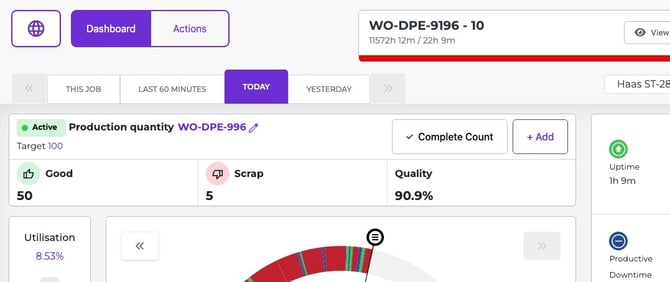
When you're starting a new count, if you've already Jobbed on using Fourjaw Work Orders, we'll add the Work Order Number and Operation as the reference and Quantity as the Target Quantity for you. These details can still be edited if you need to change the quantity, or type in a custom Reference that makes sense to you and your production.

If you haven't started a job, you can enter a custom reference and target quantity manually. When you're ready, hit done and we'll log the time stamp so you have accurate details of when your production started!
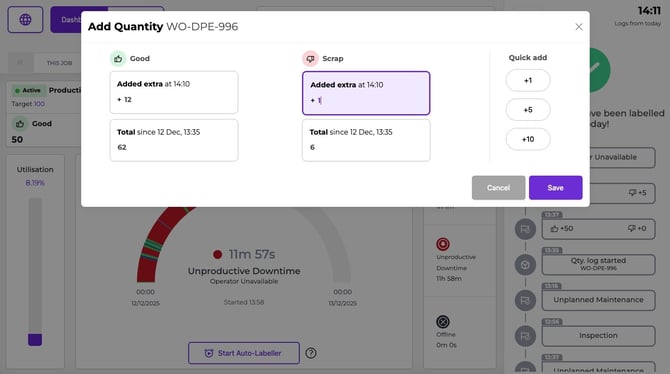
Log good parts and scrap as you go
No more searching for a pen or managing endless spreadsheets.
Operators can quickly log parts (or counts of anything) as they're completed. The interface makes it fast to record both good parts and scrap, keeping logs accurate without slowing down work.
Calculate quality
Every time you add good parts or scrap, we'll automatically update with the quality percentages and totals. Helping you stay on track throughout your shift.
How To Activate Part Count For Your Tablets
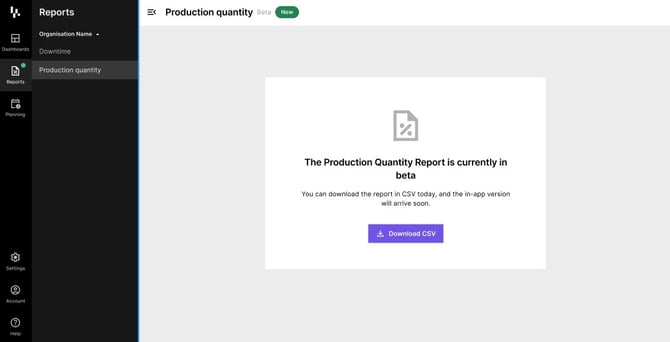
Export Part Count reference data
Get your part count data out quickly via the Web App in a CSV, or in JSON via the API
See Production quantity tracking in action
Try out this interactive demo for tracking quantities and part counting
 Top tip - make the demo full screen using the control in the top right.
Have a question?
Don't hesitate to get in touch with our friendly support team by emailing support@fourjaw.com