.png?width=200&height=100&name=FJ%20white%20colour%20(400%20x%20200%20px).png)
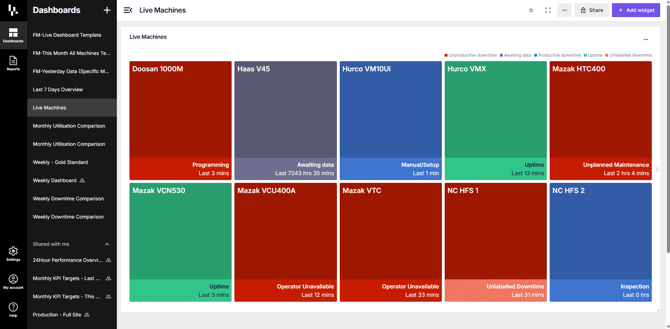
The Live Machine widget gives you an instant snapshot of what’s happening on your shop floor. You can quickly see which machines are currently in uptime and, if a machine is not running, the reason why.
To tailor the view, select the three dots in the top right-hand corner of the widget. From there, you can choose which machines to display, whether that’s all machines on site or just the ones relevant to the area you manage.
There are four states which a machine will be in at any given time and they are:
- Uptime
- Unproductive downtime
- Productive downtime
- Awaiting data