.png?width=200&height=100&name=FJ%20white%20colour%20(400%20x%20200%20px).png)
The MachineLink is the technology that connects your machines to FourJaw production monitoring software so that production activity can be monitored automatically. It captures signals from a machine, converts them into useful machine-status information, and sends that data securely to the FourJaw platform, where it is shown in dashboards, reports, and insights.
This article explains the process in simple stages.
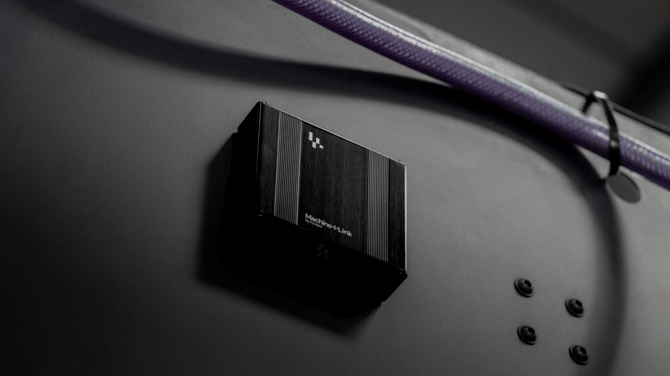
The machine creates signals during operation
Every machine produces signs of activity while it is running. Depending on the machine and installation method, these may include signals such as:
- whether the machine is powered
- whether the spindle, motor, or control system is active
- when the machine is cutting, idle, stopped, or unavailable
MachineLink uses these signals to understand what the machine is doing without requiring operators to manually record every status change.
How the MachineLink connects to the machine
MachineLink is installed so it can safely monitor the machine’s activity. The exact connection method can vary depending on the machine type, age, controller, and available signals.
Typical connection:
- non-invasive sensing, using two current sensors that attach to the machines main power supply
This method provides a reliable connection to production equipment that captures useful operational data while keeping installation straightforward and disruption to production low.
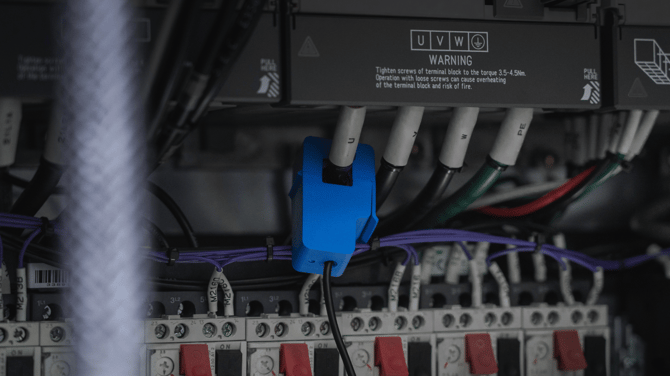
Raw machine activity is captured
Once connected, the MachineLink continuously listens for changes in the machine’s state.
For example, it may detect when a machine starts running, stops, becomes idle, or remains inactive for a period of time. This raw activity is collected automatically, which reduces the need for manual logging and gives a more accurate view of machine usage.
At this stage, the data is still just machine activity. It needs to be interpreted before it becomes meaningful production information.
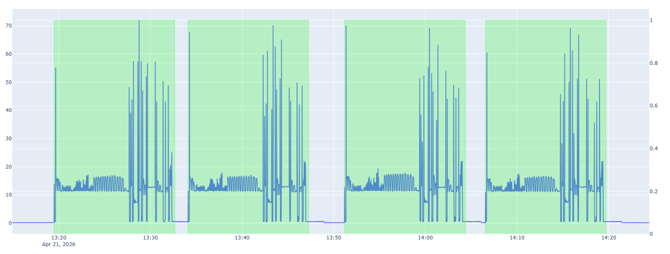
Visit this article to find out more about signal calibration.
MachineLink interprets the machine state
One the data has been claibrated, the MachineLink can accurately translate raw signals into practical machine statuses.
For example:
|
Raw activity |
Interpreted status |
|
Machine active and producing |
Running |
|
Machine powered but not producing |
Idle |
|
No activity detected |
Stopped |
|
Planned downtime entered by the team |
Planned stop |
|
Operator input added |
Reason code or context |
This step is important because factories do not just need data; they need understandable information that explains how machines are being used.
Data is sent securely to FourJaw Web Application
The MachineLink sends machine-status data to the FourJaw we application platform. Once received, the data is processed and made available in the FourJaw software.
The data transfer is designed to support continuous monitoring, so teams can see machine activity close to real time rather than waiting for manual updates, paper records, or end-of-shift reporting.
FourJaw combines machine data with operator context
Machine data shows what happened. Operator input helps explain why it happened.
For example, a machine may be idle, but the reason could be:
- waiting for material
- tool change
- inspection
- maintenance
- setup
- no operator available
- planned break
- production issue
By combining MachineLink data with operator reasons and production context, FourJaw gives a clearer picture of what is affecting output.
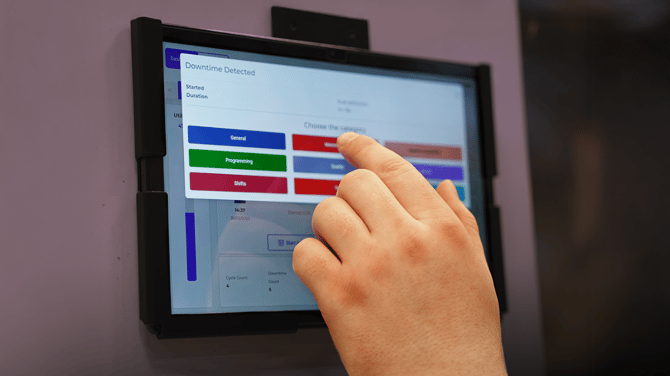
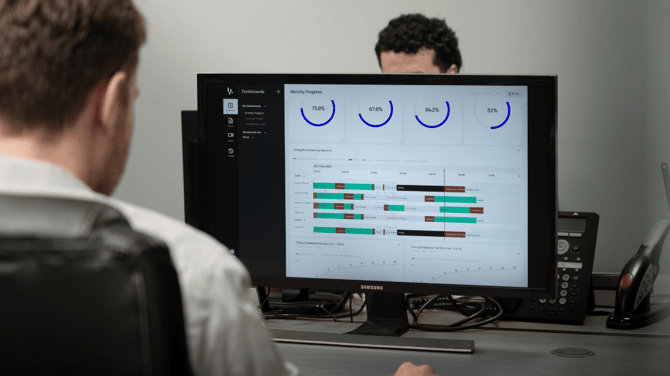
The FourJaw platform turns the data into insight
Once machine data is processed, FourJaw presents it in reports and dashboards. Teams can use this information to understand:
- machine utilisation
- downtime
- idle time
- production trends
- bottlenecks
- availability
- performance by machine, cell, shift, or site
This helps operations, CI and production teams move from guesswork to data-led decisions.
Teams use the insight to improve performance
MachineLink is not just about collecting data. Its value comes from helping teams identify improvement opportunities.
For example, teams can use MachineLink data to:
- reduce unplanned downtime
- understand why machines are idle
- improve scheduling and capacity planning
- compare performance across machines
- prioritise maintenance or process improvements
- support continuous improvement activity
- increase machine utilisation
Over time, the data helps build a more accurate picture of factory performance and where the biggest opportunities exist.
Summary - FourJaw MachineLink
In simple terms, FourJaw’s MachineLink is the bridge between the physical machine and the FourJaw platform. It captures what machines are doing, turns that activity into meaningful data, and helps manufacturers understand and improve factory performance.